ProWorkflow vs Notion
The project-focused, time tracking, client-ready
Notion app alternative
Looking for an ideal Notion alternative that’s more than a note-taking tool? ProWorkflow is a complete project management tool with time tracking, invoicing, Gantt charts, and reporting, all built to help teams manage client projects.
Where Notion excels in knowledge management and flexibility, ProWorkflow delivers structured workflows, budgets, and real-time collaboration features designed for agencies, consultancies, and service-based businesses managing multiple projects.
No credit card, no fees
Trusted by thousands of productive teams
From digital agencies to construction firms and consultants, ProWorkflow supports teams worldwide with full visibility, accountability, and all the features that actually manage the work, not just document it.


PROJECTS DELIVERED
TASKS COMPLETED
HOURS TRACKED
REVENUE INVOICED
Integrations that work with your existing tools
ProWorkflow integrates effortlessly with a variety of tools to enhance your workflow:
- Accounting: Xero, QuickBooks Online, FreshBooks, MYOB Essentials, MYOB AccountRight, KashFlow
- Cloud Storage: Google Drive, Dropbox, Box, OneDrive, SharePoint
- Productivity: Open API (use tools like Zapier to connect with your favourite apps)
Why people look for apps similar to Notion
Notion is a flexible all-in-one workspace that excels in taking notes, managing tasks, and data organization. However, many teams quickly find applications like Notion too open-ended or difficult to structure for actual project management. Common pain points include:
- No native time tracking or job costing.
- No built-in project reporting or project budgeting tools.
- Limited task management with only basic functionality.
- Few automation options for workflows.
- No built-in quoting or billing features.
- Collaboration features are limited. External users find it difficult to access without exposing your entire workspace.
- For teams managing complex projects, Notion often becomes a steep learning curve with too many workarounds.
Why teams choose ProWorkflow over Notion
ProWorkflow is a program like Notion that is purpose-built for managing client projects, team tasks, and business processes. ProWorkflow is a great Notion alternative that gives you the best tools and structure Notion can’t deliver without significant customization.
Purpose-built for project management
ProWorkflow gives you real projects, real timelines, and real visibility, without trying to build it from scratch. You can start managing work the moment you log in.
Native time tracking and job costing
Unlike Notion, ProWorkflow has built-in timers, manual entries, and internal cost tracking, so you can monitor budgets and team time from start to finish.
Clear task views & drag-and-drop Gantt charts
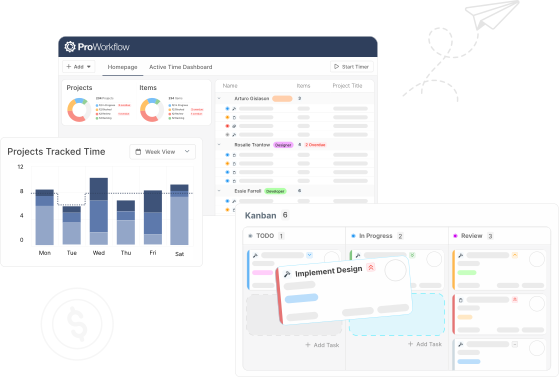
Visualize projects in ways Notion simply doesn’t support, with drag-and-drop task views, Kanban boards, timeline charts, and customizable workflows that update in real time.
Built-in collaboration & client access
ProWorkflow includes messaging, file sharing, and custom user permissions so internal teams and external clients stay in sync without switching tools or granting access to your whole workspace.
Reports that don’t require workarounds
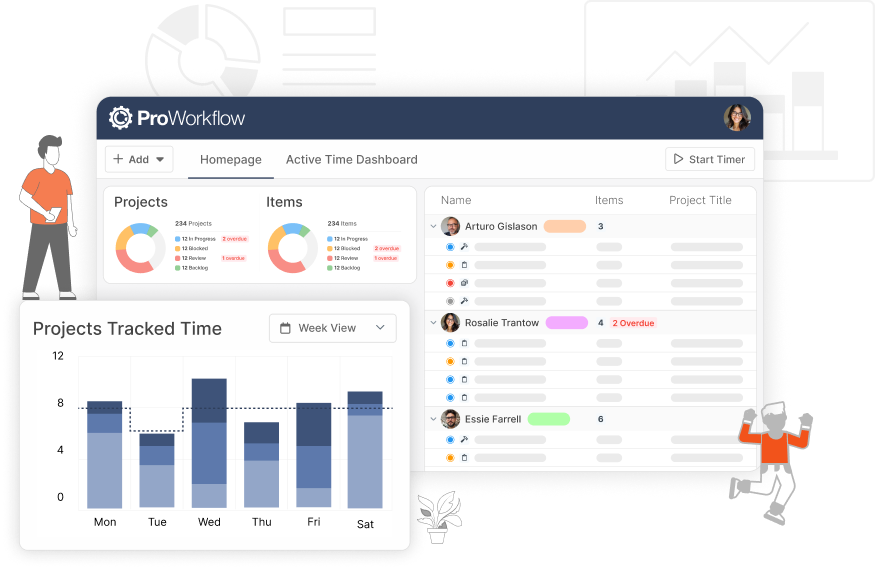
Generate reports on items, time, costs, or performance instantly. No templates needed, just advanced reporting features you can act on.
Worried about switching tools?
Don’t be — we’ve got your back
Many teams use Notion as a starting point, but soon hit its limits.
If you’re ready to get started with the best Notion alternative, start your free 14-day trial with ProWorkflow. Switching from apps and tools like Notion is easier than you think. We offer full onboarding support, migration assistance, and even templates to recreate your workflows quickly.
No credit card, no fees
How does ProWorkflow compare to Notion?
Choose ProWorkflow if you need a complete project management system with built-in time tracking, budgeting, task management, and invoicing. It’s ideal for agencies, consultancies, and service-based businesses that want to manage everything, all in one app.
Take a closer look at how ProWorkflow has helped many great companies
Case Studies
Businesses across various industries have successfully transitioned from apps like Notion to ProWorkflow, experiencing improved efficiency, better project oversight, and enhanced profitability.
DBJ Furniture saw a 50% increase in their project capacity.
Case study
Learn how ProWorkflow became winning-software for managing the busy DBJ portfolio
Ara delivers projects 20% faster without a lose in quality.
Case study
Learn how ProWorkflow was a game-changer for Ara since implementation in 2017
Communication, resource planning, project management, reporting, invoicing and time tracking… one amazing solution!
Case study
See how Stage Marketing turned inefficiencies into profitability by measuring labour costs
Frequently Asked Questions
What’s the main difference between ProWorkflow and Notion?
Notion is primarily used for note-taking and building the team’s knowledge base. ProWorkflow is a complete project management tool with time tracking tools, budgeting, reporting, and structured workflows.
Can I migrate my Notion tasks into ProWorkflow?
Yes, we can assist with migrating your tasks, templates, and relevant data into ProWorkflow. Our support team makes it seamless and fast.
Does ProWorkflow support the same level of customization as Notion?
While Notion is more free-form with object-based note-taking, ProWorkflow is a more powerful app that focuses on practical customization like custom fields, statuses, views, and permissions, all tailored for managing projects.
How long will onboarding take?
Most teams are fully up and running within a few days. We offer guided onboarding, training, and resources to help every step of the way.