Powerful
API Connections
Connect to other tools, sync your data, and integrate with AI using ProWorkflow Nexus API
Get your data where it needs to be...
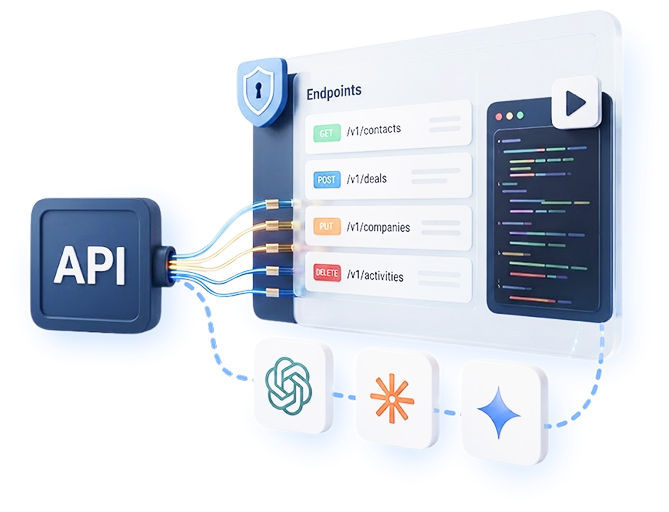
Our market leading API is the most comprehensive Rest API on the market. Use the powerful ProWorkflow REST/MCP API to build what you need today to
- Sync your data between applications
- Automate workflows
- Integrate with other tools such as CRMs and accounting platforms
- Build your own custom apps and dashboards
- Integrate with AI using our MCP server
- Use our Zapier app for a simple way of integrating with ProWorkflow
ISO Certified
- No credit card
- Free 14-day trial
- Cancel anytime
Stay in control of your data
Choose the authentication method that best suits your needs
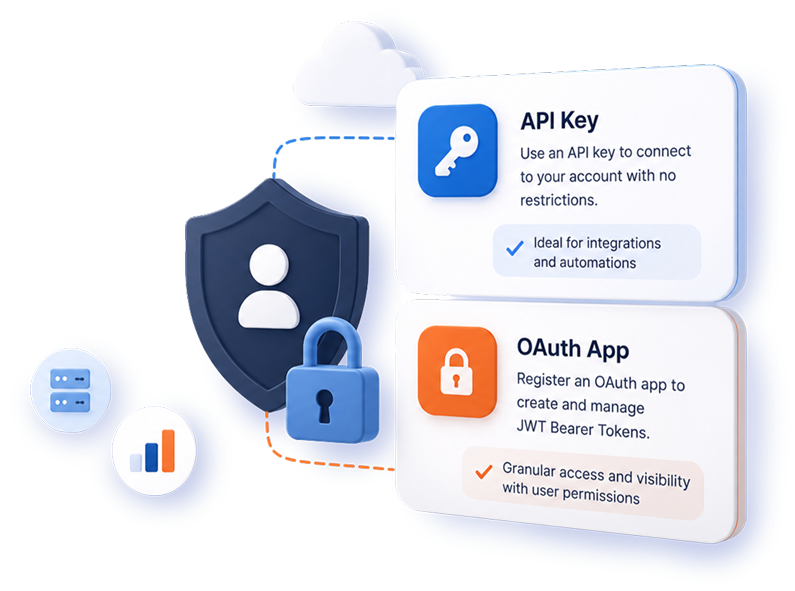
At ProWorkflow we know that different companies have different needs when it comes to access to their data. That’s why we offer two authentication methods for our Nexus API, and both are self-serve.
- API key: connect to your account with no restrictions. Ideal for integrations and automations.
- OAuth 2.0: create your OAuth client yourself in Settings → Automation → OAuth Clients. No support ticket, no waiting.
- With OAuth, each person signs in as themselves, so every request respects their role, division access and field visibility. Perfect for Claude and other AI assistants.
Built for developers
Standard OAuth 2.0, a clean REST API and an MCP server
Bring your favourite OAuth library and go. Everything you need to authenticate as a user is below.
- Auth flow: OAuth 2.0 authorization code, with refresh tokens
- Authorize: identity.proworkflow.com/auth
- Token: identity.proworkflow.com/token
- Token lifetime: access 5 minutes, refresh 14 days
- Base URL: api.proworkflow.com/api/v4
- MCP server: api.proworkflow.com/api/v4/mcp
Connect Claude in four steps: create an OAuth client (the Claude callback is prefilled), add a custom connector in Claude with the MCP URL, paste your Client ID and Secret, then sign in.
# 1. Exchange an authorization code for tokens
curl -X POST https://identity.proworkflow.com/token \
  -d grant_type=authorization_code \
  -d code=$CODE \
  -d redirect_uri=https://yourapp.com/callback \
  -d client_id=$CLIENT_ID \
  -d client_secret=$CLIENT_SECRET

# 2. Call the API as that user
curl https://api.proworkflow.com/api/v4/companies \
  -H "Authorization: Bearer $ACCESS_TOKEN"
All of your API questions: answered
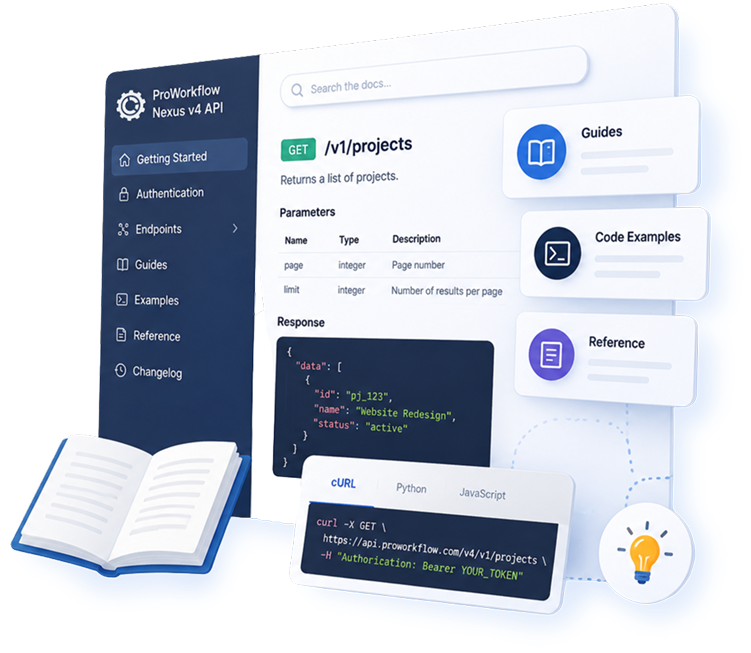
An extensive library of guides for all your API needs
- Detailed conceptual documentation to get you started and guide your API journey
- A complete reference library for every endpoint, parameter, and response shape
- Example guides of scripts, apps, and tools that show how to build on the ProWorkflow Nexus API to get you started
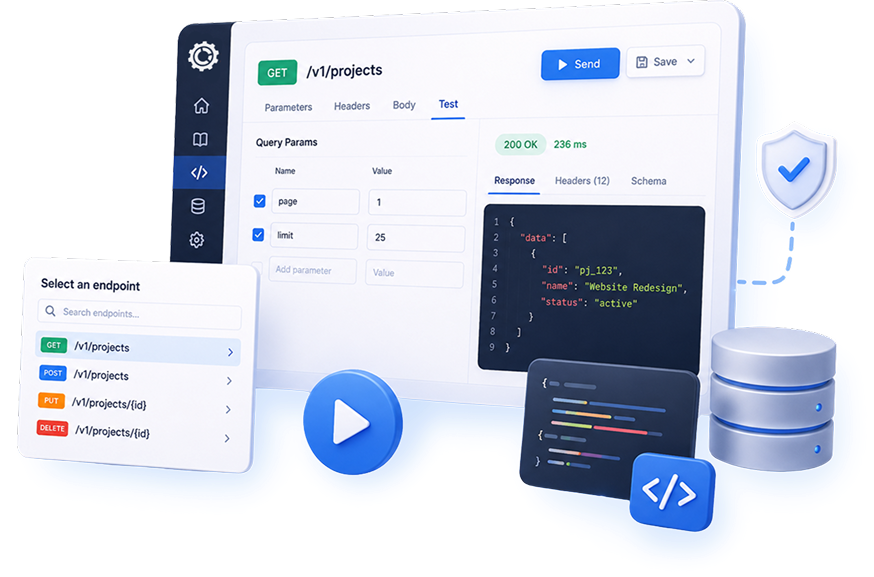
Try out your API calls
Built-in tools for testing your API
- Connect to your actual data with your API key in our interactive documentation
- Test your API calls for every endpoint with our built-in test environment in our API reference library
- A safe way to try your API calls without actually making changes to your data, before you’re ready to deploy to your live account
MCP server lets you connect to AI
Connect your AI tools directly to our API
ProWorkflow’s dedicated Model Context Protocol server exposes ProWorkflow resources as tools for AI assistants.
- Connect directly to your AI tool
- Authenticate using API key or JWT Bearer Token
- Review our detailed MCP guide and endpoint documentation
Learn more
Read about how ProWorkflow is enabling its customers to achieve more in their businesses with streamlined workflows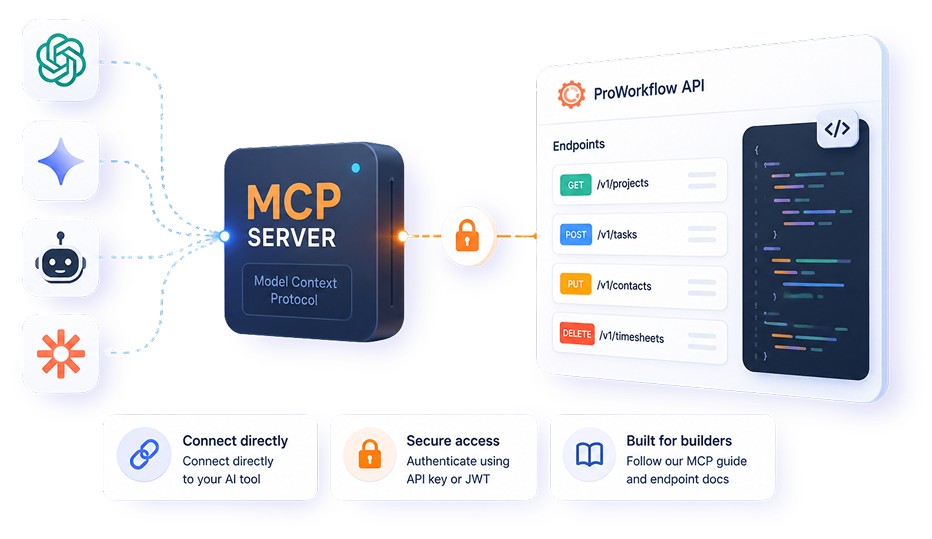
Frequently Asked
Nexus API Questions
Is this the best Project Management API in the market today?
Yes – we are confident our API is the most performant, powerful, and comprehensive API of its kind. Our developers love working with it and we think you will too!
What elements of ProWorkflow can I update using the API?
With the Nexus API you can connect to and update almost every aspect of ProWorkflow. Our API Reference Guide contains a comprehensive library of every available endpoint, and whether you can GET, POST, PUT, or DELETE data using an endpoint.
Does ProWorkflow integrate with any API tools?
Yes! The ProWorkflow Nexus API is currently natively integrated with Zapier. You can also choose to build your own integration to your custom tool.
How do I control access to my API?
You are in control of access to your API every step of the way. Use an API key for account-level access, or create an OAuth client for user-level access with JWT Bearer tokens that mirror each user’s permissions in ProWorkflow.
OAuth setup is self-serve: a super user goes to Settings → Automation → OAuth Clients, clicks Set up OAuth client, adds a redirect URI and copies the Client ID and Secret. It takes about two minutes and you don’t need to contact support. See the step-by-step guide or read the authentication docs.
How do I migrate my API calls from Classic to Nexus?
Our detailed documentation on migrating from Classic API to Nexus API guides you through every aspect of migrating your calls from Classic to ProWorkflow Nexus.
Does ProWorkflow connect to any AI tools?
With ProWorkflow Nexus API’s MCP server, you are able to build a connection between ProWorkflow and your AI tool of choice. Please see our MCP server guide to get started.
How do customers use ProWorkflow's API?
Our customers use our Nexus API for everything from connecting to CRM and accounting tools, to building automations, to reviewing their data, to building custom bespoke applications. The sky is the limit! If you’re an existing client and you have questions just reach out to our support team at [email protected]; if you’re a new client please start a trial account or contact our Sales team at [email protected].