
Centralised
Materials & Expenses
Manage all your project expenses and materials in one place
Create your items library
Stay organized and impress your clients
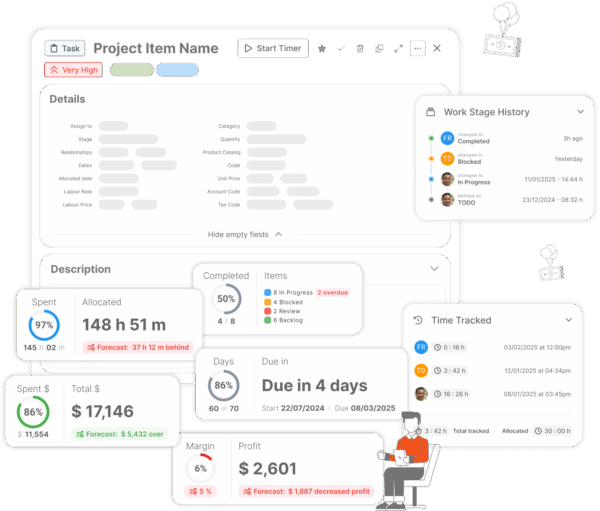
Items are metrics you can keep track of in your projects right from the task list. This includes materials, expenses, bugs, features, and so much more
- Select your items and assign in projects
- Track financial data directly on items
- Create templates with items for simpler project management
ISO Certified
- No credit card
- Free 30-day trial
- Cancel anytime
There is a reason teams love ProWorkflow
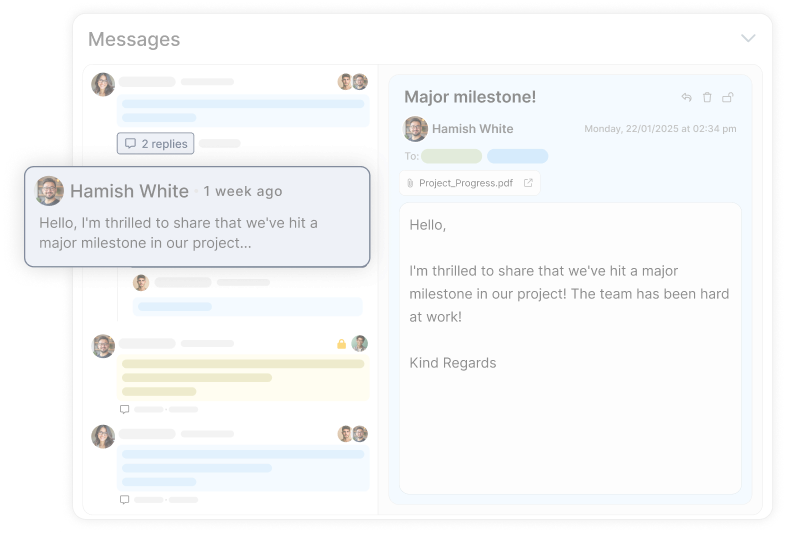
Embedded group tools help teams succeed by fostering open communication.
Stay connected with your team, clients, and contractors through a centralized platform.
View case studies
Read about how ProWorkflow is enabling its customers to achieve more in their businesses with streamlined workflows
Frequently Asked
Questions
on Materials & Expenses
What are “Items” in ProWorkflow, and how do they help with project materials and expense tracking?
Can I standardise materials and expense tracking across projects with templates?
How do Materials & Expenses connect to project profitability and cost tracking?
Materials and expenses feed your broader cost management picture — so profitability isn’t just “time + vibes.” ProWorkflow’s cost tracking feature highlights live profitability tracking, the ability to set budgets and expenses on a project, and maintaining a library of materials and expenses to keep cost tracking consistent.
How do I try ProWorkflow’s materials and expense tracking?
Start a free trial, then create an Items library and begin assigning materials/expense items directly inside projects so you can test the workflow end-to-end. The feature page promotes no credit card, a free trial, and cancel anytime.
Where can I compare ProWorkflow pricing for teams that need expense and materials tracking?
Head to the pricing page to compare plans and see what’s included, plus trial details and billing options.
How do engineering teams use ProWorkflow to control costs and track project items?
Engineering teams often need tighter budget control and clearer cost visibility. ProWorkflow’s engineering page calls out setting budgets using estimated work times with item rates, plus live budget/profitability updates—useful when you’re tracking project inputs and keeping margins from quietly evaporating.
Is there a real example of a team improving financial visibility and project reporting with ProWorkflow?
Yes — Ara Institute of Canterbury highlights needs like time tracking and financial visibility, and describes using ProWorkflow features (including time tracking and real-time reporting) to improve visibility and productivity — reporting projects completed ~20% faster on average.
Let’s talk streamlined workflow
Let’s talk financial reporting tools
ProWorkflow is ISO27001 certified and GDPR compliant.
We conduct more than 30,000 secure task, project and financial updates every day for over 5,000 companies. Your data is safe with us.