Enhanced
Task Management
The best task management software for businesses, with key features for tracking project progress, profitability and financials, organizing by phases, and bulk updating.
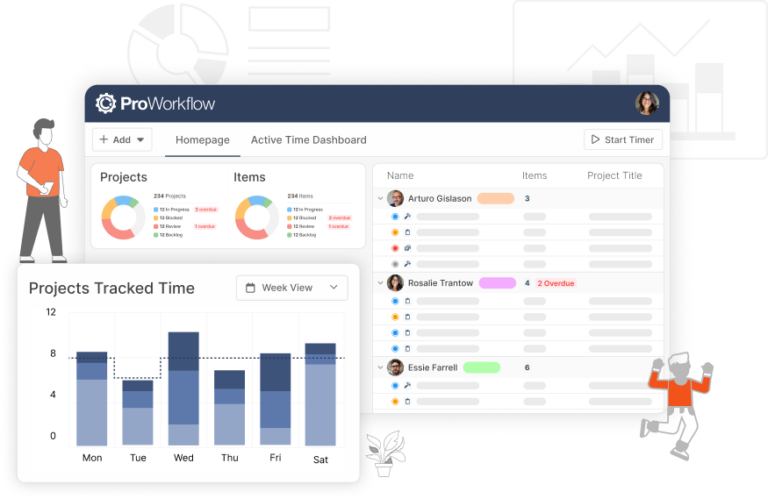
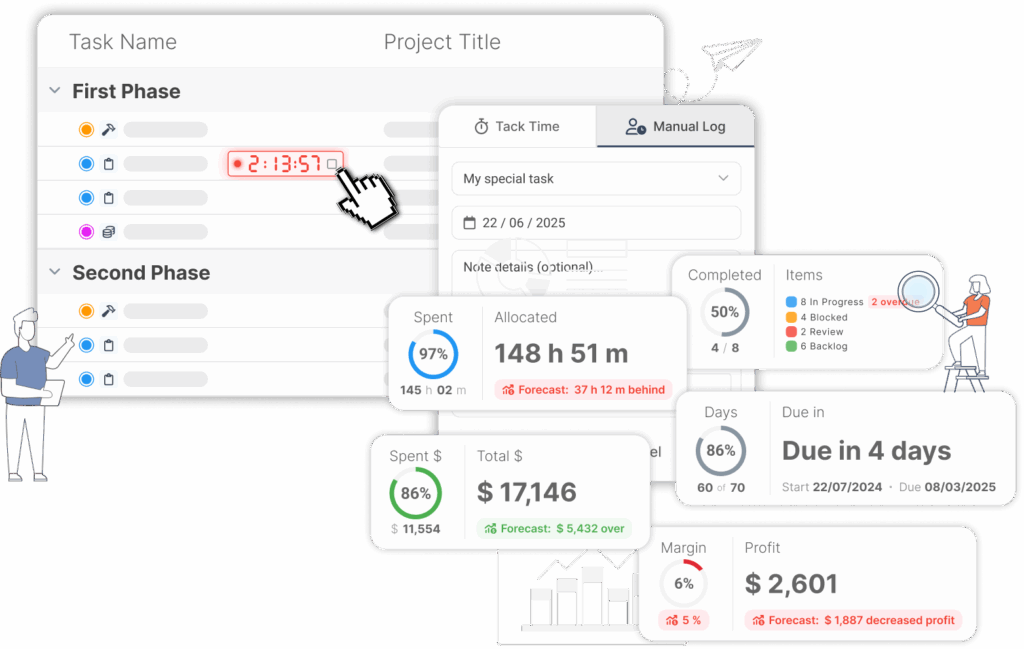
Real-time forecasting displays up-to-date data against tasks
- Color-coding for better task management, organization and project tracking
- View only the metrics that are important to you, such as project timelines
- Tracking progress against projected margins helps teams plan
- Resource and cost management tools compatible with complex projects
ISO Certified
- No credit card
- Free 30-day trial
- Cancel anytime
Task types for every project’s needs
Customize your task types with our new Items feature for better project management
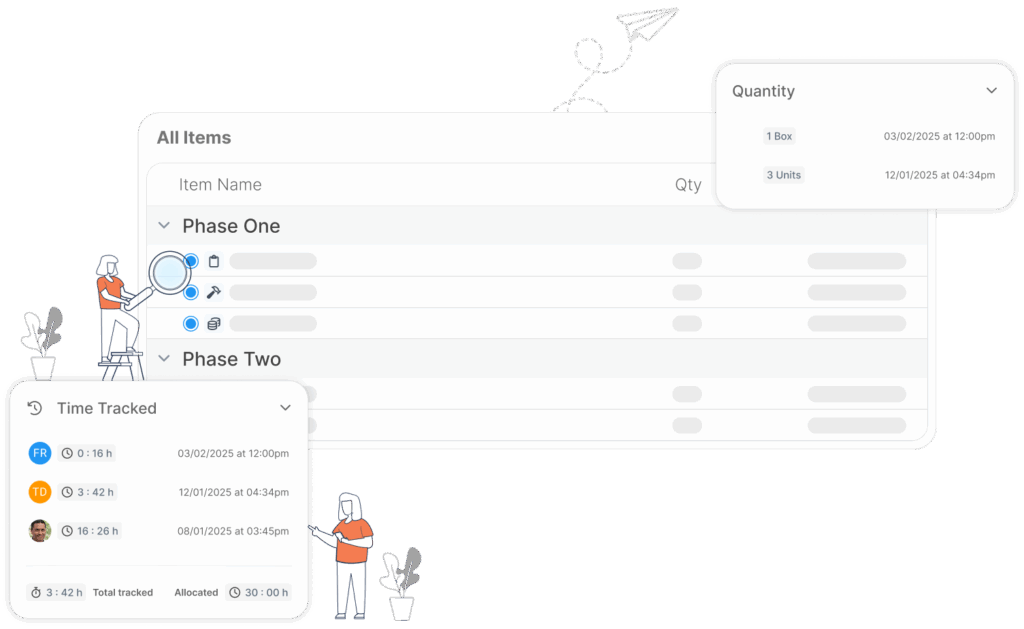
We have clients across various industries, each with its own needs and processes. We’ve introduced our new Items feature to support customizable workflows for improved task management.
- Create tasks and manage them in our new Items library
- Maintain as many or as few types of items as you need
- Available item types include units, so you can track materials alongside your tasks
Robust Collaboration tools for big and small teams
Enjoy more efficient team task management
From team communication to collaboration, organize and oversee how teams work together.
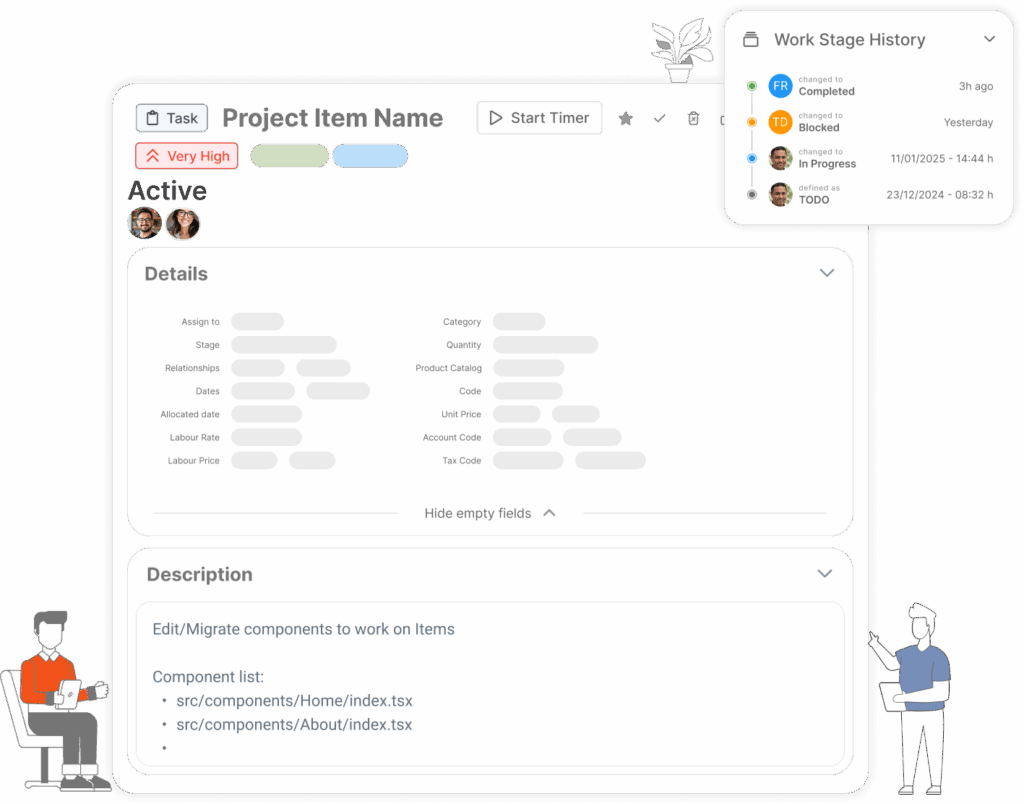
- Assign responsibilities and get real-time visibility into team members collaborating on the same task
- Track task changes, review edit history, and see edits in real-time
- Track time, attach files, check on task-specific financials and more!

Easily manage tasks in bulk!
Upload, edit and bulk-manage your tasks quickly and smoothly
Wondering how to manage tasks in bulk? Our project management software makes it easy.
- Quickly import from Excel or copy/paste a list of tasks to add to your project
- Use templates to easily create/recreate repetitive tasks
- Bulk-edit, move, and manage tasks with built-in features
Simplifying profitability
Stay on top of time and money with real-time time tracking
A combination of real-time task tracking and financial forecasting tools helps you accurately monitor profitability and time spent on each task.
- Stay focused and in line with project expectations
- Milestone tracking, enabling you to make adjustments with clients when needed
- Seamless integrations with accounting systems for detailed reports
Frequently Asked
Task Management Questions
What makes ProWorkflow a strong task management tool for teams running client work?
Can I create and update lots of tasks quickly (templates, bulk upload, bulk edit)?
How do reporting and insights improve task management (beyond “is it done yet”)?
Reporting turns task activity into decisions: you can build custom reports, filter for the exact metrics you need, choose what columns to show, and export to PDF/Excel for sharing with stakeholders.
How do I try ProWorkflow task management with my team?
Start a trial and begin by creating a project, adding tasks (manually or in bulk), assigning owners, and tracking progress immediately.
What does ProWorkflow cost for task management, and what’s included?
Pricing is per user with plan options, and ProWorkflow highlights no credit card, a free 30-day trial, and cancel anytime.
Is ProWorkflow task management a good fit for services and consulting teams?
Yes—ProWorkflow positions services/consulting around running projects end-to-end (including profitability visibility and productivity tools), using things like templates, workload planning, and timers to keep delivery tight and billing cleaner.
What’s a real example of a team improving task organisation with ProWorkflow?
Stage Marketing describes using ProWorkflow to organise projects by client, build tasks faster with templates/copy, assign tasks quickly, and track time per task—aiming to reduce manual effort and improve billing accuracy and profitability.
Let’s talk streamlined workflow
Let’s talk financial reporting tools
ProWorkflow is ISO27001 certified and GDPR compliant.
We conduct more than 30,000 secure task, project and financial updates every day for over 5,000 companies. Your data is safe with us.