
Effective Resource Planning
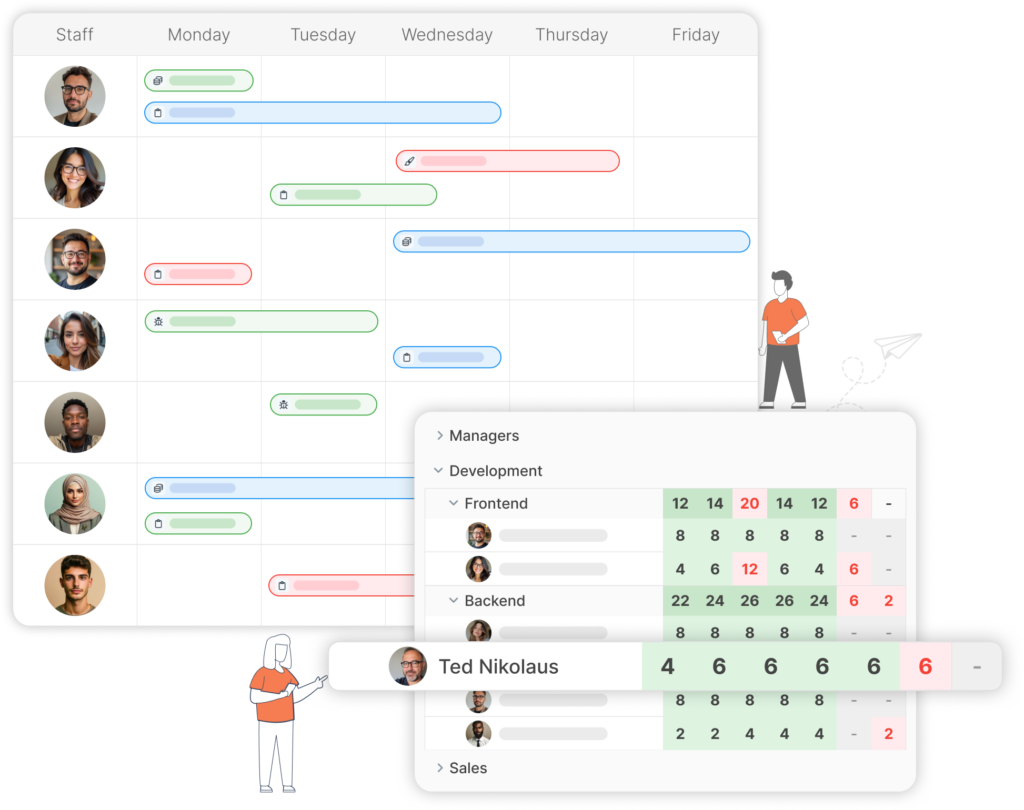
Staff allocation and manage their workload using Kanban and Gantt charts.
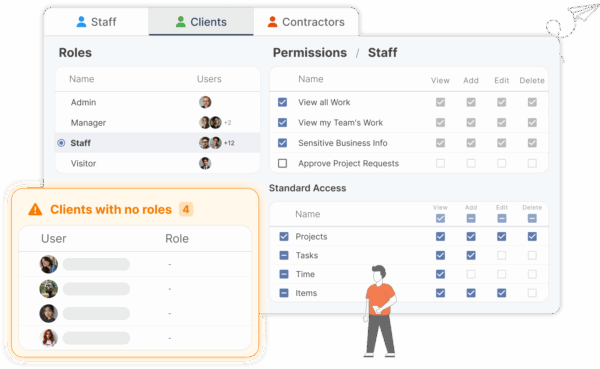
Roles and permissions
Set up roles to distinguish access levels
Create roles for staff, clients, and contractors. Assign permissions based on the role.
- Distinguish between different users and user types
- Different roles have different viewing permissions
- Roles control access to sensitive business information
ISO Certified
- No credit card
- Free 30-day trial
- Cancel anytime
Advanced team management
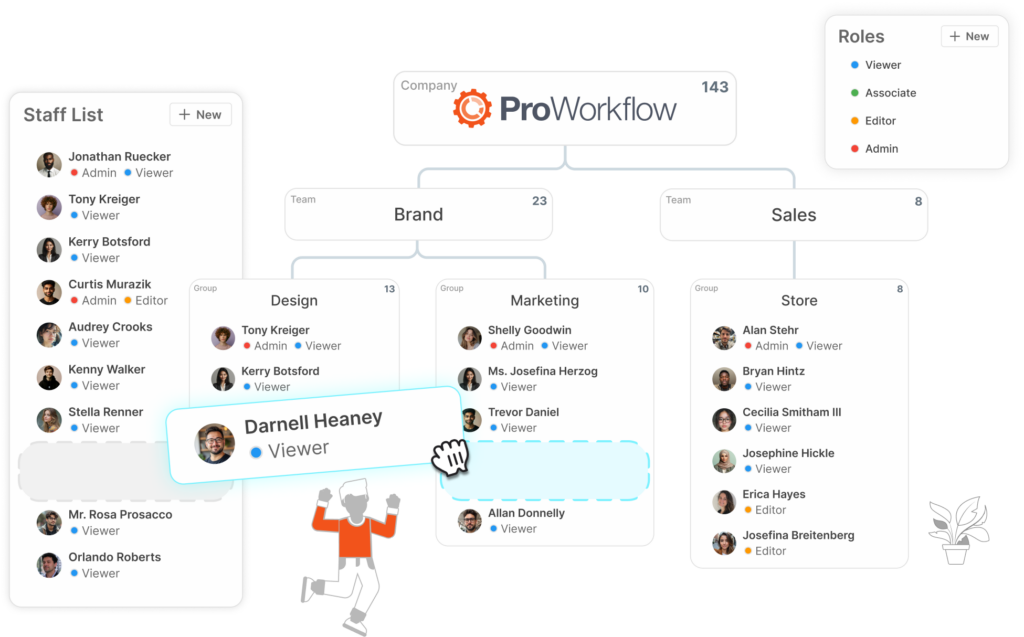
Create an organizational structure and more
Define who’s who in your organization, and distinguish different departments.- Generate an org chart to show who reports to who
- Better manage your resources by separating out users into different divisions, teams, and groups
Enhanced resource management
Remain informed and proactive
Making team and people management fluid- Use the Gantt chart to schedule out and edit your resources
- Weekly Workload App: Provides a comprehensive preview of the upcoming week’s workload
- Availability Checker App: Quickly determine the availability of team members for task assignments
There is a reason teams love ProWorkflow
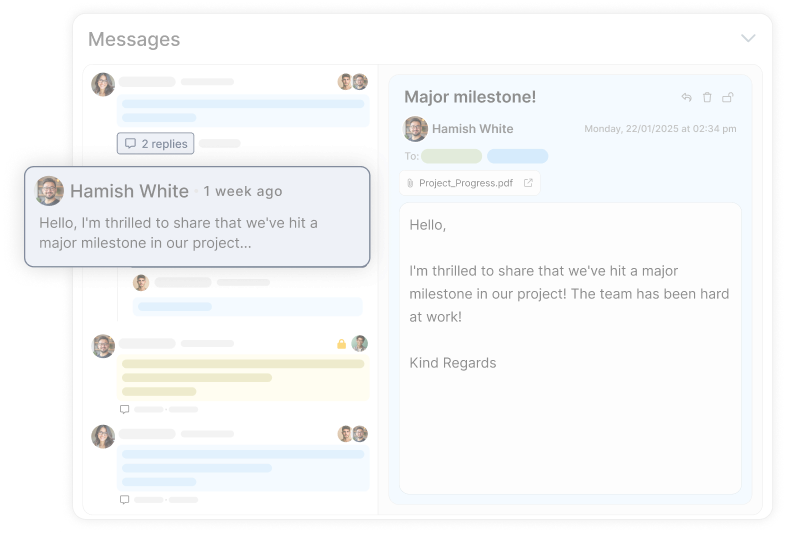
Collaboration features empower teams by streamlining communication.
Interact effortlessly with team members, clients, and contractors in a shared space.Our case studies
Read about how ProWorkflow is enabling its customers to achieve more in their businesses with streamlined workflows
Frequently Asked
Resource Planning Questions
How does ProWorkflow resource planning help with capacity planning and workload management?
Can ProWorkflow handle team structure, permissions, and different user types for resource management?
Yes — ProWorkflow lets you set up roles for staff, clients, and contractors with different viewing permissions, and you can build an org structure (including an org chart) by grouping people into divisions/teams to keep resourcing and access control tidy.
How does resource planning improve quoting and estimating accuracy?
Better capacity planning makes quotes more realistic—because you know whether you can actually deliver on the timeline you’re proposing. ProWorkflow’s quoting tools let you create quotes, get client approval, and convert approved quotes into projects (so delivery stays connected to what was sold).
Can I try ProWorkflow resource planning before I commit?
Yes — start a trial and you can immediately test resource allocation using the Gantt scheduling + workload/availability tools with your real team setup.
Where can I see pricing for ProWorkflow (including resource planning features)?
The pricing page is the best place to compare plans and choose the right fit for your team.
How do construction teams use ProWorkflow for resource planning and scheduling?
ProWorkflow positions construction workflows around allocating crews and balancing workload using Weekly Workload + Availability Checker and scheduling via the Gantt chart — so staffing decisions and timelines stay aligned.
What’s a real example of resource planning reducing team stress and improving timelines?
Pace Creative adopted ProWorkflow specifically for internal capacity tracking and client timelines—using adjustable Gantt charts plus weekly workload overview and availability reports to plan resources more realistically and reduce stress.
Let’s talk streamlined workflow
Let’s talk financial reporting tools
ProWorkflow is ISO27001 certified and GDPR compliant.
We conduct more than 30,000 secure task, project and financial updates every day for over 5,000 companies. Your data is safe with us.